
Guides / How to choose Kindle ebooks on Amazon.in
How to choose Kindle ebooks on Amazon.in
A practical India shopper guide to Kindle ebooks: who they are for, how to judge edition, sample, language, and apps, and how to read Amazon.in listings without invented prices or ratings.
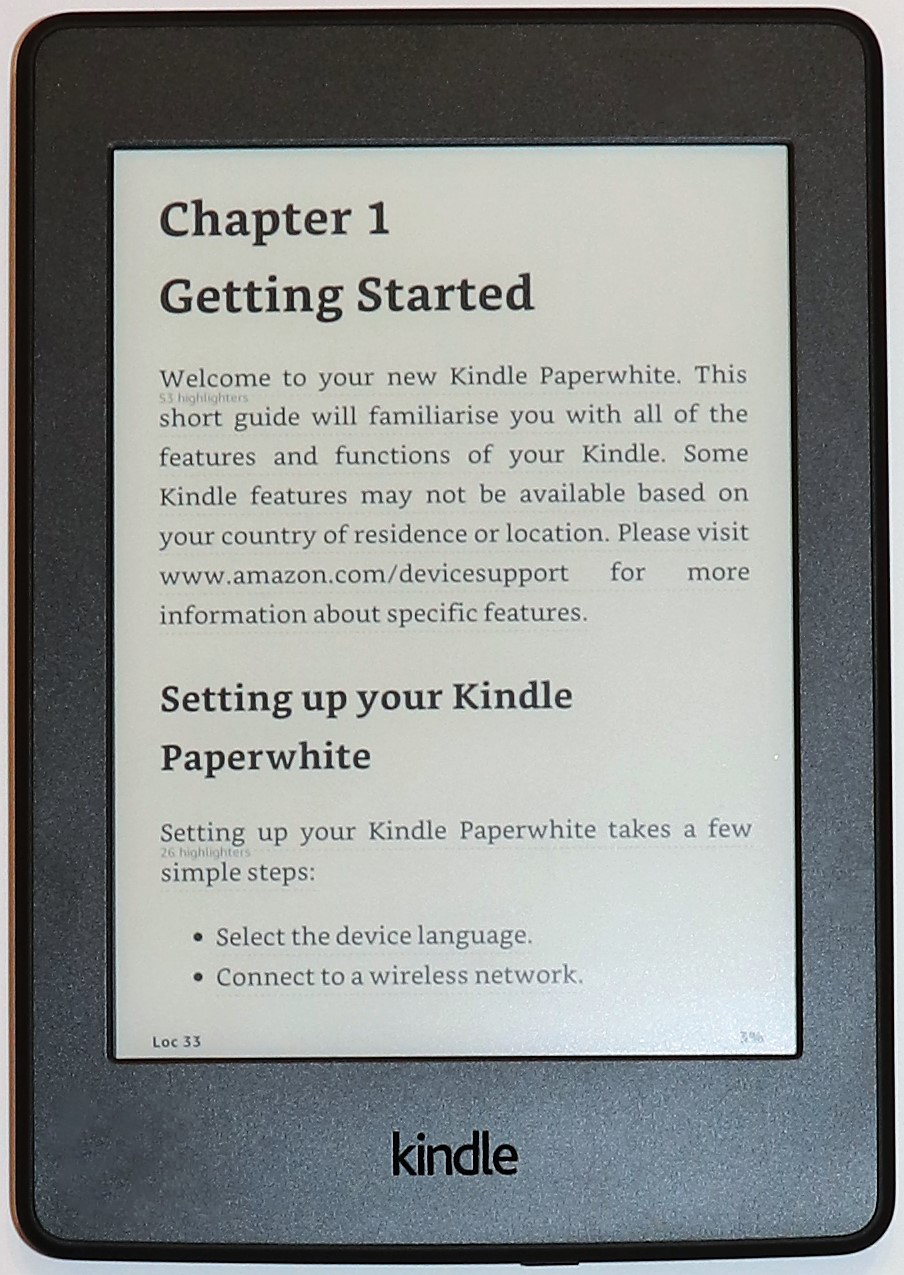
A Kindle ebook on Amazon.in is a digital book you buy once and read in the Kindle app or on a Kindle e-reader. It is not a paperback, not an audiobook, and not a physical device. On Amazon.in the same title often appears as Kindle, paperback, hardcover, and sometimes Audible. Those formats are not interchangeable. This page is a way to choose Kindle editions, not a ranked list of bestsellers and not a review of any named book. Prices, stock, coupons, Kindle Unlimited badges, and review scores change on the listing. We do not copy them here, and we do not invent them.
Use the searches below to open Amazon.in with our affiliate tag. If you buy through those links, Ebenezer Products may earn a commission at no extra cost to you. We do not set the price, the star display, or whether a title is in stock. Compare the live listings yourself.
Who it is for
This guide is for a reader in India who wants digital books rather than another stack of paperbacks, and who wants a method before opening a dozen tabs.
It fits a student who needs textbooks or exam prep in a searchable format and does not want to carry heavy volumes between college and home. It fits a daily commute reader who already uses a phone or a Kindle device and wants novels, non-fiction, or magazines that sync across devices. It fits a parent buying children’s picture books or early readers in Kindle format when the listing clearly says the edition works on the Kindle app. It fits a professional who highlights research papers or business books and wants those highlights to travel with the account. It also fits someone replacing a worn paperback who prefers the Kindle edition of the same title when Amazon shows both formats on one page.
Read it if you can name the kind of reading you do in a sentence. “Fiction on the metro” is a different shopping path from “CA foundation textbooks” or “board exam practice papers with diagrams.” The method is the same. The filters you apply are not.
Who should skip it
Skip this guide if you only want a Kindle hardware device. Device shopping is a different decision: screen size, backlight, waterproofing, storage, and ads on the lock screen. This page is about ebooks, not about which e-reader shell to buy.
Skip it if you need a specific physical edition for gifting, for a signature, or for a library shelf. A Kindle file cannot be wrapped. Skip it if your course or workplace requires a print ISBN that must be shown in class. Skip it if you refuse Amazon’s ecosystem entirely and only buy from another storefront. Skip it if you want us to invent a top-ten list with fake ASINs, fake rupee prices, or fake star averages. We will not do that. Live data lives on Amazon.in.
How to choose: start with the reading job
Before you type a title into Amazon.in, write one line about the job the book must do. Long fiction on a phone screen. Dense textbooks with tables. Children’s books with colour art. Technical manuals you search by keyword. Language learning with audio that is sold separately. Each job changes what you check on the Kindle listing.
For narrative fiction and popular non-fiction, the Kindle edition is usually a straightforward text file with adjustable fonts. Confirm the language of the edition on the listing. Confirm that the page shows “Kindle Edition” and not only paperback. Open the sample when Amazon offers one and check that the sample is the edition you expect, not a different imprint.
For textbooks, competitive exam guides, and anything with equations or multi-column layouts, the listing alone is not enough. Use the sample or look-inside when available. Check whether reviewers mention missing diagrams, broken tables, or scanned pages that do not reflow. We do not quote those reviews as ratings. We only treat them as signals to verify on the live page.
For children’s books, confirm age range and whether the Kindle edition is a print replica, a fixed-layout picture book, or a simple text edition. Picture-heavy fixed layout books can look fine on a tablet and poor on a small e-ink screen. The listing will not always warn you. The sample will.
For periodicals and magazine subscriptions sold through Kindle, read the delivery and renewal text on that listing. A single issue is not the same as a subscription. Do not assume a price from memory.
Kindle edition versus paperback on the same title
Amazon often puts Kindle and print formats on one product family. Your job is to select the Kindle row deliberately. Look for the words “Kindle Edition” in the format selector. Check the publication date and edition statement for that format, because print and Kindle sometimes lag each other by months. Check the page count or “print length” only as a rough size signal; reflowable text does not map one-to-one to paper pages.
If the Kindle price looks oddly low next to a thick hardcover, that can be normal for older titles, a promotional window, or a different edition entirely. It can also be a short story marketed under a familiar series name. Read the product description for length cues. Open the sample. Do not invent a word count that the listing does not print.
If only paperback appears, the title may not have a Kindle edition in India yet. Searching “kindle” in the category filters sometimes surfaces an edition that the default sort hid. If nothing appears, buy print or wait. Do not force a different country’s storefront into this guide.
Sample, look-inside, and previews
A Kindle sample is the strongest free check you have. Use it. Confirm language, translation quality for translated works, and whether footnotes or endnotes behave. Confirm that chapters are present and that the table of contents links work. For illustrated books, zoom a page of art if the preview allows it.
If Amazon shows “Look inside” for a print edition but the Kindle sample is missing, treat Kindle quality as unknown until you can preview. Unknown is not the same as bad. It means you should not rely on cover art alone.
Do not treat the cover thumbnail as proof of interior layout. Covers are marketing. Samples are evidence.
Apps, devices, and file compatibility
Kindle ebooks from Amazon.in are meant for Amazon’s Kindle apps and Kindle e-readers signed into the same Amazon account. They are not a promise that every third-party e-reader will open the file. If you only own a phone or tablet, install the Kindle app from the store your device uses and sign in before you buy, so you know delivery works.
If you own a Kindle device already, confirm the book’s language and layout still suit that screen. Manga, comics, and some textbooks are happier on larger tablets. Simple novels are fine on small e-ink screens. The listing will rarely say “best on tablet.” You decide from the sample and from how you actually read.
Whispersync, cloud backups, and family library features depend on Amazon’s current account tools. Read Amazon’s help pages for the current rules. This guide does not invent sync behaviour.
Language, publisher, and edition honesty
India’s Amazon.in catalogue mixes English, Hindi, Tamil, and many other languages. Filter by language when you search. Confirm the language line on the Kindle product page, not only the cover script. A Hindi cover with an English interior happens. A dual-language edition should say so in the description.
Publisher name matters for textbooks and technical books. Prefer the publisher you expect for that syllabus when the listing names one. Edition numbers matter for law, medicine, engineering, and exam prep. A “latest edition” claim in a bullet is marketing until you match the year or edition number printed in the description or sample.
Author name collisions are common. Confirm the exact author, series, and subtitle. Two books can share a short title.
Kindle Unlimited, Prime Reading, and owning a copy
Some Kindle listings mention Kindle Unlimited or Prime Reading. Those programmes let you read certain titles while subscribed, under Amazon’s current terms. That is not the same as buying the Kindle edition outright. If your goal is permanent ownership of a specific title, buy the Kindle edition when that is what the listing sells. If your goal is low-cost browsing across many titles, evaluate Unlimited on Amazon’s own programme page and then see whether the title you want is included on the live listing.
Programme catalogues change. A badge you saw last month may be gone today. We do not list Unlimited prices here. Check the live page.
India buying notes
Prices on Amazon.in for Kindle ebooks generally already include applicable taxes as Amazon displays them. Bank offers, coupon codes, and festival deals appear and disappear. Screenshot nothing as a permanent price. Gift cards and account balance rules follow Amazon’s checkout screens.
Kindle purchases are usually delivered to your Amazon account library within moments when the system is healthy. If delivery fails, use Amazon’s order help for that digital order. Physical return windows for paperbacks do not map cleanly to digital refunds. Read the return and refund text Amazon shows for digital items before you buy expensive professional titles.
Regional rights mean a book sold on Amazon.in may differ from the same title on another country store. Shop on Amazon.in when that is your account region for this guide’s links.
What to check on the listing
Work through this checklist on every Kindle product page before you pay:
If any of those lines is blank on the listing, treat that fact as unknown. Do not fill gaps from a blog post, from a friend, or from this guide.
Common mistakes
Buying the paperback by accident while intending Kindle is the most common mistake on mobile. The format chips are easy to miss. Slow down at checkout and read the line item.
Assuming every cover in a series has a Kindle edition is another mistake. Series pages mix formats.
Trusting a star average without reading whether complaints are about shipping of paperbacks or about the ebook file confuses two products that share a page family.
Paying for a title that is already in your library under Unlimited without noticing is wasteful when ownership is not your goal. The reverse mistake is relying on Unlimited for a title you must keep after a subscription ends.
Ignoring language filters when searching Hindi or regional literature returns noisy English results. Use the language filter Amazon provides.
Chasing a “best Kindle books” list that invents ranks without live links is how shoppers buy the wrong edition. Prefer a search you control.
Searches on Amazon.in
These open Amazon.in search results. They are starting points. Sort, filter, and read the listings. Nothing in this list is a named book ASIN, and nothing here is a price.
Browse Kindle ebooks on Amazon.in
Browse Kindle novels on Amazon.in
Browse Kindle books in Hindi on Amazon.in
Browse Kindle textbooks on Amazon.in
Browse Kindle exam preparation books on Amazon.in
Browse Kindle business books on Amazon.in
Browse Kindle children books on Amazon.in
Browse free Kindle ebooks on Amazon.in
After you open a result, confirm the tag is only our affiliate tag and that the page is still Amazon.in. Then apply the checks above to the specific listing. If the listing does not print language, format, or a clear edition line, treat that fact as unknown. Do not fill the gap from memory, from a similar title, or from this guide.
Photo: an Amazon Kindle Paperwhite showing a novel page, from Wikimedia Commons (CC BY-SA 4.0, photograph by Wandelopa). It is an illustration of the kind of reading this guide is about. It is not a picture of a listing we are selling, and it is not an endorsement of any specific ebook title.